AIM works with most modern PCs and touchscreen monitors. To ensure the best performance, make sure your systems meet the recommended specifications listed below for the various computers needed to run your AIM system smoothly.

Recommended SQL Server Version 2019.
*Please note that Windows 10 will be no longer be supported after October 2025
Supported Operating System |
Windows 11 (small networks), Windows Server 2016 and later |
Processor |
Intel - compatible processor with a minimum speed of 1.4 GHz or faster |
RAM |
Minimum 16 GB, recommended 16+ GB |
Hard Disk Free Space *SSD recommended for best performance |
Minimum 10 GB |
SQL Server Limitations |
Express - Supports 1 physical processor, 4 CPU Cores, 1 GB memory, and 10 GB database size |
*** Not recommended to install SQL server on a domain controller. This includes Essential Editions of Windows Server.
AIM runs on 32 or 64 bits OS.
Purchase through your preferred vendor
Supported Operating System |
Windows Server 2016 and up with SQL Server 2017 Standard and up |
Processor |
2.0GHz or faster Intel Xeon/AMD Epyc We recommend against using Celeron processors for anything other than an RDP terminal or a very basic POS-only terminal |
RAM |
16GB RAM |
Storage |
SSDs in RAID 1, 5 or 10 using RAID controller with controller cache |
Network |
1GB NIC |
SQL Server Limitations |
SQL Server is designed to use all the system memory available. This is fine if you are using a dedicated server but if you will be running other applications you can limit the amount of memory SQL Server can have access to. Recommend running SQL server on a dedicated server If you plan to use active-e services or active-e Mobile Applications, you can use SQL Express or SQL Standard (licensed by CPU core). You should not purchase SQL Standard (licensed by server + users). You are required to purchase licensing for all cores of the machine, but if you use a VM, you can limit the number of cores that need to be licensed. CHOOSING your SQL SERVER EDITION |
*** Not recommended to install SQL server on a domain controller. This includes Essential Editions of Windows Server.
Purchase through your preferred vendor
AIM runs on 32 or 64 bits OS.
Supported Operating System |
Windows Server 2016 Standard and later |
Processor |
2.0GHz or faster Intel Xeon/AMD Epyc We recommend against using Celeron processors for anything other than an RDP terminal or a very basic POS-only terminal |
Memory |
16GB RAM + 2GB per remote user |
Network |
1GB NIC |
Storage |
SSDs in RAID 1, 5 or 10 |
Purchase through your preferred vendor
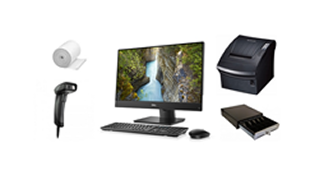
Supported Operating System |
Microsoft Windows 11 |
Processor |
Pentium Class 1 GHz or greater We recommend against using Celeron processors for anything other than an RDP terminal or a very basic POS-only terminal |
Memory |
8GB or greater + 16GB recommended |
Hard Drive |
10 GB or greater |
Minimum Screen Resolution |
1200 X 700 (1080p monitor display recommended) |
Purchase through your preferred vendor
Purchase through your preferred vendor
Don’t wait—get a firsthand look at how Tri-Tech can enhance your retail operations. Our team is ready to show you how the system can fit into your day-to-day business needs.